
SSD Lifespan Explained: How Long Does Your Drive Really Last?
Solid State Drives (SSDs) have become the preferred choice for laptops, desktops, and servers thanks to their speed, silent operation, and durability compared to traditional hard drives (HDDs). But like every storage device, SSDs don’t last forever. Understanding their lifespan can help you make smarter decisions about usage, backups, and replacements.
🔧 How Do SSDs Work?
Unlike HDDs, which use spinning disks and mechanical heads, SSDs store data in NAND flash memory chips. Each time data is written, tiny electrical charges are trapped in memory cells. Over time, these cells wear out from repeated writing and erasing.
This is why the main factor affecting SSD lifespan is write endurance.
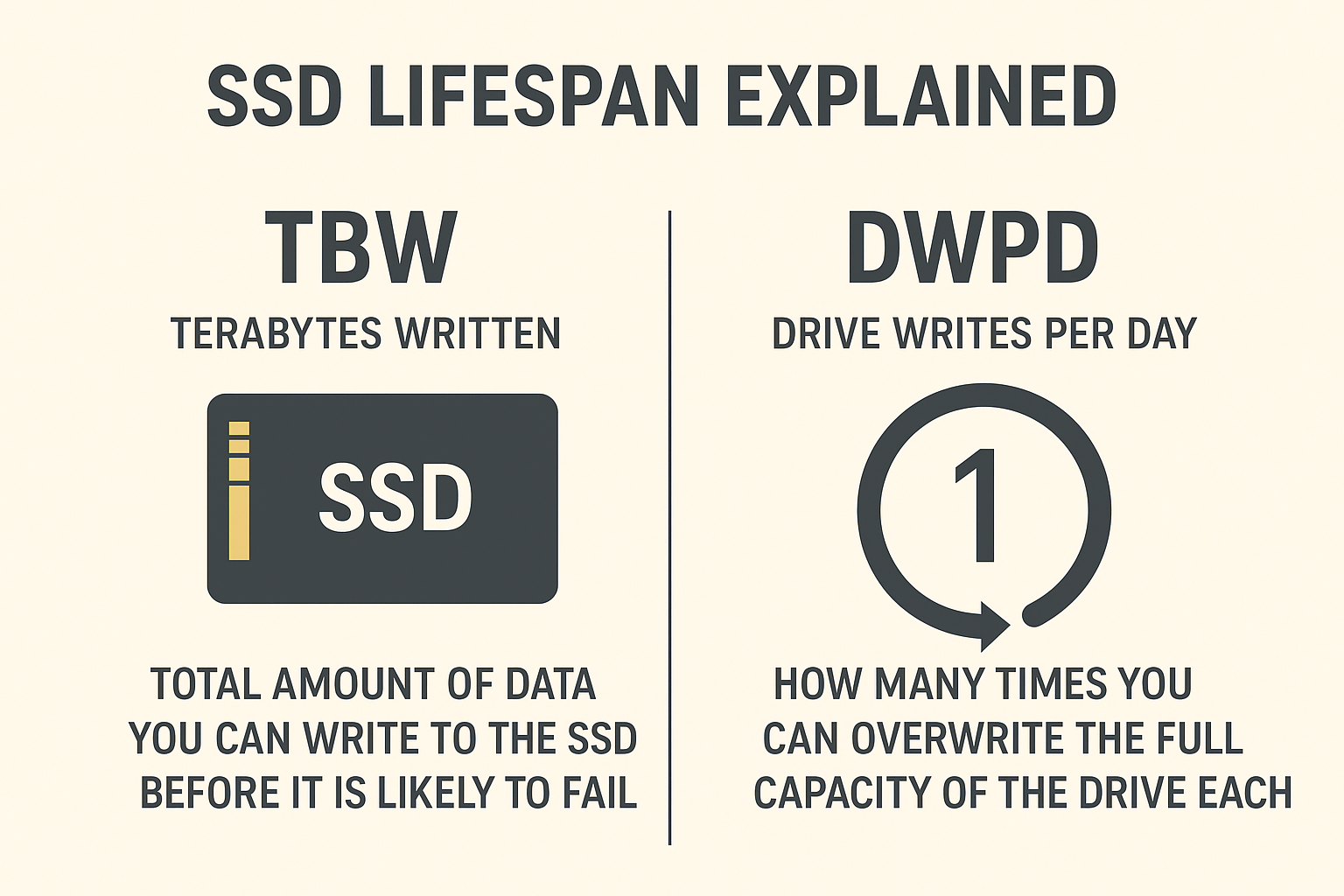
📊 Measuring SSD Lifespan: TBW & DWPD
Manufacturers don’t usually advertise “years of life.” Instead, they provide endurance ratings:
-
TBW (Terabytes Written)
-
The total amount of data you can write to the SSD before it is likely to fail.
-
Example: A 500GB SSD might be rated for 300 TBW—meaning you can write 300 terabytes of data during its lifetime.
-
-
DWPD (Drive Writes Per Day)
-
How many times you can overwrite the full capacity of the drive per day during the warranty period.
-
Example: 1 DWPD on a 1TB SSD over 5 years = 1TB written every day for 5 years.
-
👉 For most everyday users, reaching these limits is unlikely.
🕑 Real-World Lifespan of SSDs
-
Consumer SSDs: Typically last 5–7 years under normal usage (office work, browsing, gaming).
-
Enterprise SSDs: Built for higher workloads and may last 10+ years, depending on environment.
-
Heavy Use Scenarios (e.g., video editing, servers): Drives may wear faster but still provide predictable performance until they reach their write limits.
⚠️ Common Signs Your SSD May Be Failing
-
Frequent crashes or system freezes
-
Missing files or corrupted data
-
Drive becoming read-only (you can see files but can’t save new ones)
-
Slow boot times (ironically slower than expected for SSD)
If you notice these symptoms, backup immediately.
🔐 The Role of TRIM and Wear-Leveling
Modern SSDs use:
-
Wear-Leveling → Spreads out writes evenly across cells to avoid premature wear.
-
TRIM Command → Clears unused blocks, improving performance but making deleted data harder to recover.
These technologies extend SSD life but also mean data recovery is more complex if something goes wrong.
💡 How to Extend Your SSD’s Lifespan
-
Avoid filling it to 100%—leave at least 10–15% free space.
-
Use it mainly for OS and apps; store heavy data (archives, movies) on HDD or external drives.
-
Keep firmware updated.
-
Enable TRIM support (usually on by default).
-
Always maintain regular backups.
🛠️ When SSDs Fail: Can Data Be Recovered?
Unlike HDDs, SSD recovery is more challenging due to TRIM and encryption. In many cases, recovery requires specialized lab equipment, proprietary tools, and a clean-room environment.
That’s where professional labs like Micronics India come in—we work on dead SSDs, firmware corruption, controller failures, and chip-off recovery when possible.
✅ Final Thoughts
SSDs are reliable, fast, and long-lasting—but not immortal. For the average user, an SSD will easily outlast its warranty if used responsibly. The real key to protecting your data isn’t just the SSD’s lifespan—it’s having a strong backup strategy and knowing where to turn if things go wrong.
At Micronics India, we specialize in SSD data recovery across SATA, mSATA, M.2 NVMe, and PCIe drives. If your SSD shows signs of failure, don’t wait—early intervention often means higher chances of recovery.